
Device Fingerprinting
A built-in feature that shows a unique device identifier on-screen to help you trace and prevent content piracy.
To help you combat piracy, Senza can display a device-specific watermark directly on the viewer’s screen. If a copy of your content appears online, the watermark allows you to identify exactly which device it originated from.
To enable device fingerprinting, your app can call an API that displays a banner containing the device ID on every active device within a tenant. The fingerprint appears regardless of whether the device is running your web app or streaming video.
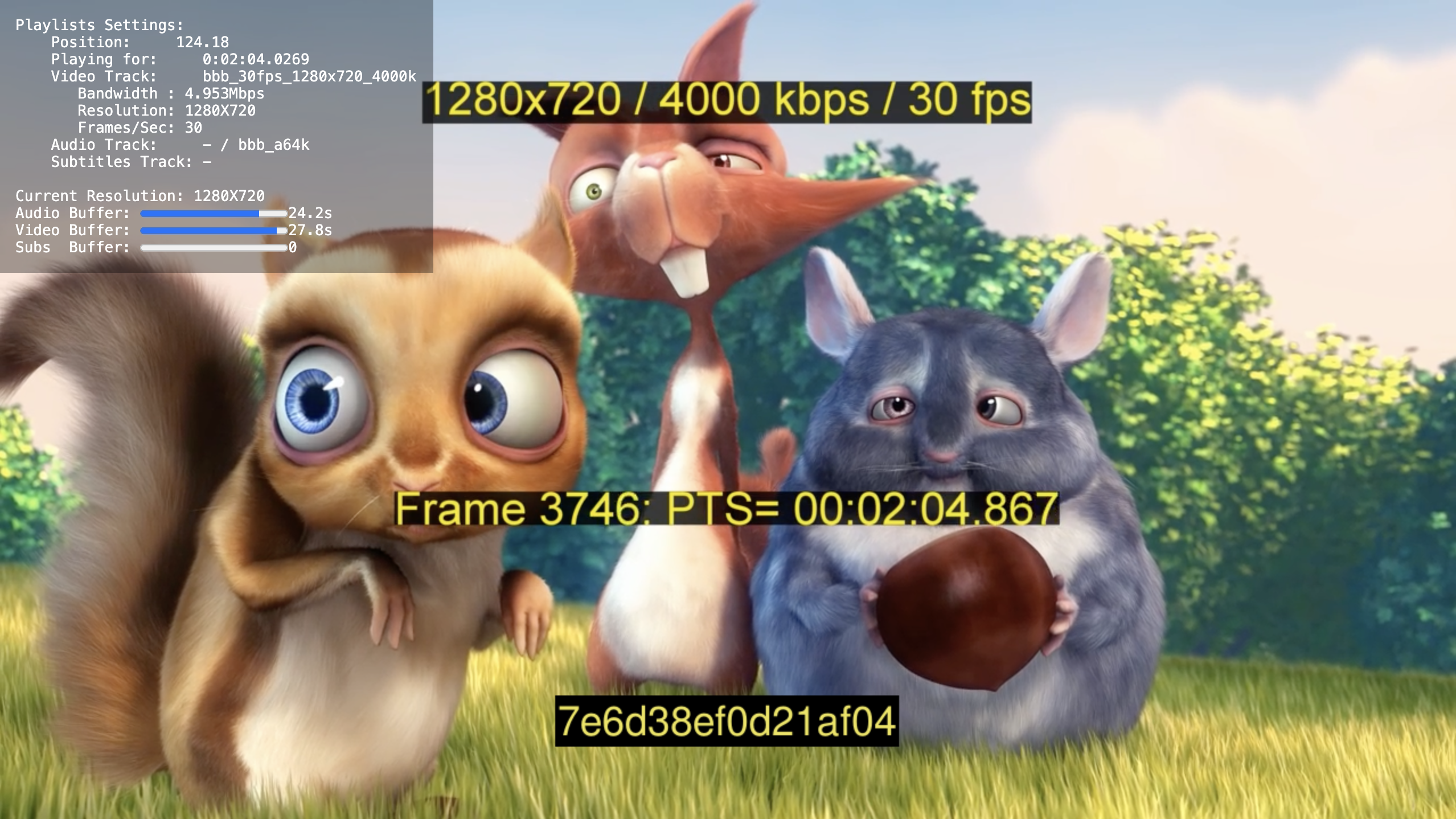
NoteIn this screenshot, the resolution and timecode are part of the video itself, while the device ID is added by the device-fingerprinting feature. The fingerprint is styled to match the other text through the API, but is rendered in a completely different way!
Display Fingerprint API
See the Display Fingerprint page in the API Reference for full details on calling the API.
The body of the request should contain these parameters:
textColor: Hexadecimal color code for the text color, i.e.#FFFFFFFF.backgroundColor: Hexadecimal color code for the background color.position: Position of the fingerprint display on the screen, e.g.bottom-center.duration: Duration in seconds to display the fingerprint on the screen.fontSize: Font size for the fingerprint text.
For example, calling the API with these parameters, will display the fingerprint as captured in the screenshot above, with 38-point yellow text on a black background.
{
  "textColor":"#EEE450FF",
  "backgroundColor":"#000000FF",
  "position":"bottom-center",
  "duration":1200,
  "fontSize":38
}
Tutorial
See the Device Fingerprinting tutorial for a code sample.
Updated 5 months ago